
A beginner's guide to the Thermomix TM7, including setup, accessories, Cookidoo, Manual Mode, cleaning and helpful tips.
So, you've just unpacked your brand-new Thermomix TM7 and you're wondering where to start.
The good news is that the TM7 has been designed to make cooking easier than ever!
Whether you're following guided recipes through Cookidoo, cooking from your favourite blogs and cookbooks, or adapting your own family recipes, there's a lot this machine can do.
That said, when you first open the box, all the different accessories and functions can feel a little overwhelming.
What does the simmering basket do? When should you use the butterfly whisk? What's the difference between steaming in the Varoma and cooking in the bowl? And do you really need to take the blade out every time you clean it?
I've been using Thermomix machines for more than a decade, starting with the TM31, then upgrading to the TM6, and now cooking daily with the TM7.
Over the years I've picked up plenty of tips, tricks and shortcuts that make using a Thermomix easier, faster and more enjoyable.
In this guide, I'll walk you through everything you need to know about your Thermomix TM7, including all the accessories that come with it, how to use the most important functions, how to clean it properly, and the tips I wish I'd known when I first started.
Let's get started!
More of a visual learner? Watch the video!
What's Included with the Thermomix TM7?
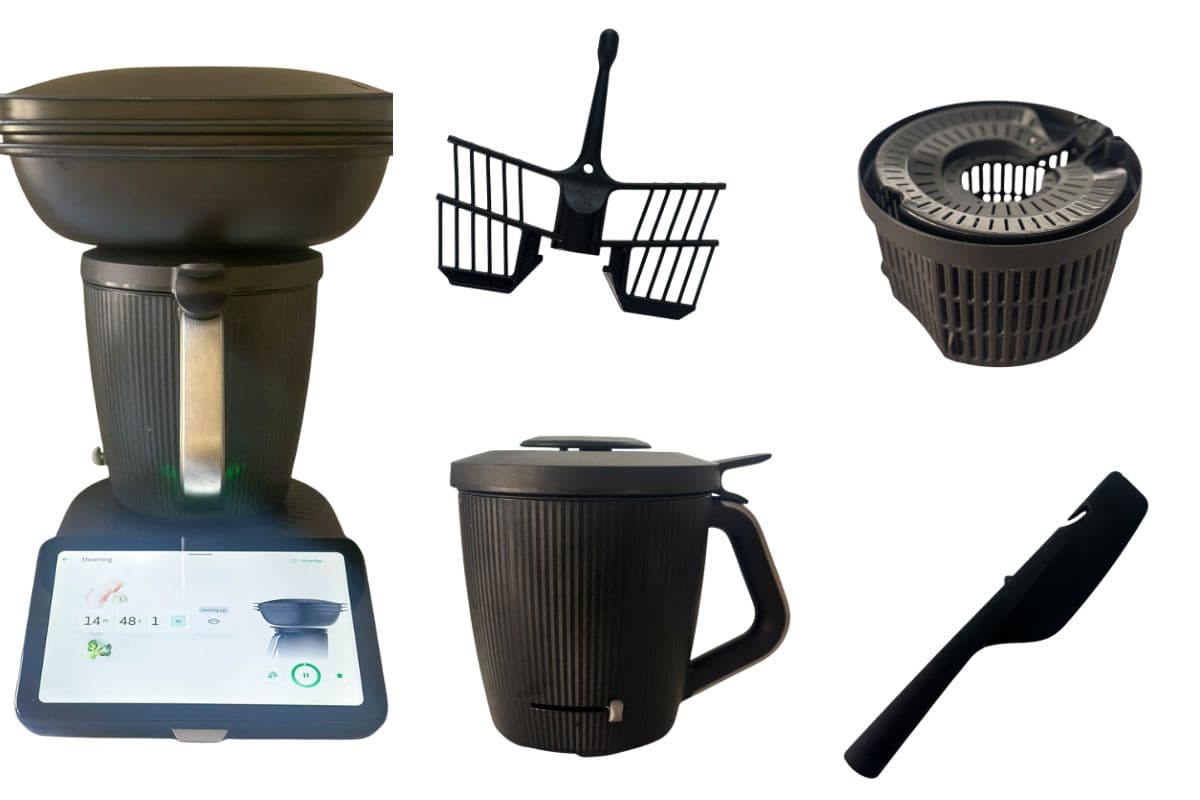
When you unpack your Thermomix TM7, you'll find several accessories included in the box. Each one has been designed for a specific purpose, helping you chop, mix, knead, steam, whisk and cook a huge range of recipes.
Here's a quick overview of what you'll find:
- Base unit - the heart of the Thermomix. It contains the motor, electronics, built-in scales and touchscreen controls. This is where all the magic happens.
- Mixing bowl - the stainless steel mixing bowl is where most of your cooking takes place. It sits securely on the base unit and is used for everything from chopping vegetables and mixing cake batter to cooking soups and sauces.
- Lid and lid cap - the lid fits securely onto the mixing bowl during cooking and blending. It features built-in vents that allow steam to escape when needed.
- Simmering Basket - this sits inside the mixing bowl and is used for cooking foods without them coming into contact with the blade. It also doubles as a colander for draining food.
- Spatula - used for scraping food from the bowl but also has other features such as acting as a handle for the simmering basket.
- Butterfly Whisk - this attaches to the top of the blades and is used to incorporate air into ingredients, for example when whipping cream or whisking egg whites.
- Varoma - The Varoma is the Thermomix steaming system. It sits on top of the mixing bowl and allows you to steam ingredients while food cooks below.
Once you've familiarised yourself with all the accessories, it's time to get your TM7 set up and ready to cook.
Setting Up Your Thermomix TM7

Before you start cooking, it's worth taking a few minutes to set up your Thermomix properly. Choosing the right location and connecting it to Cookidoo will help you get the best experience from your new machine.
Where to Place Your TM7
The TM7 includes a built-in slider foot, making it much easier to move around your kitchen than previous Thermomix models. Even so, you'll want to choose a suitable spot where it can be used safely and efficiently.
Choose a Flat, Stable Surface
Your Thermomix should always be placed on a level surface. This helps ensure the built-in scales work accurately and keeps the machine stable while mixing, kneading and cooking.
Kitchen benchtops are usually ideal, provided they are sturdy and can comfortably support the weight of the machine.
Make Sure There Is Good Ventilation
The Thermomix generates heat and steam during cooking, so it needs plenty of airflow around it.
Avoid placing the machine in a confined space where steam cannot escape easily. Good ventilation helps prevent moisture build-up and ensures the machine operates as intended.
Keep It Away from the Cooktop
Try not to position your TM7 directly next to your cooktop, oven or any other heat source.
Avoid Placing It Under Overhead Cupboards
One mistake many new owners make is positioning their Thermomix directly underneath kitchen cabinets.
When you're cooking soups, steaming vegetables or using the Varoma, a significant amount of steam can be produced. If that steam hits the underside of your cupboards, condensation can form and drip back down onto the machine.
Leaving plenty of open space above your TM7 will help steam dissipate safely.
Connecting to WiFi and Cookidoo
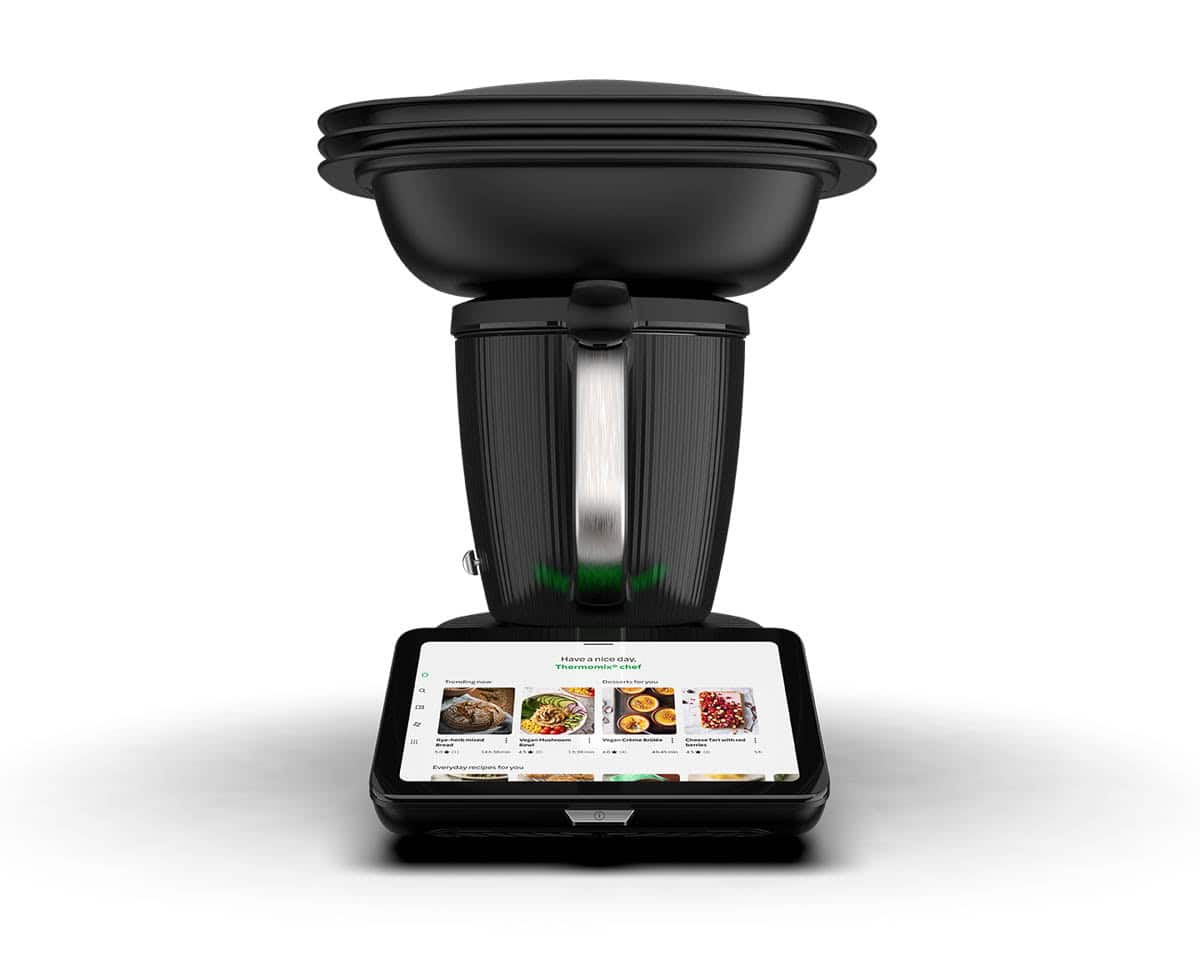
One of the biggest advantages of the TM7 is its integration with Cookidoo, Thermomix's online recipe platform.
Connecting your machine during setup gives you access to thousands of guided recipes and allows your phone, tablet and Thermomix to work together seamlessly.
Create Your Cookidoo Account
If you're new to Thermomix, I recommend creating your Cookidoo account before you start setting up the machine.
It's often quicker and easier to do this on your phone, tablet or computer rather than directly on the TM7 screen. Once your account has been created, you can simply log in when prompted during the setup process.
Connect Your TM7 to WiFi
When you first switch on your Thermomix, you'll be guided through the setup process, including connecting to your home WiFi network.
Once connected, your TM7 can access Cookidoo recipes, software updates and any recipe collections you've saved to your account.
The setup wizard is straightforward and walks you through each step on screen.
Why I Prefer Using the Cookidoo App
While you can browse recipes directly on the TM7, I find the Cookidoo app much easier to use when planning meals.
The app makes it simple to:
- Search for recipes
- Browse collections
- Save favourites
- Plan meals for the week
- Create shopping lists
- Organise recipes into folders
I often browse recipes on my phone while sitting on the sofa, then send them straight to my Thermomix ready for cooking later.
Save and Sync Recipes to Your TM7
One of my favourite Cookidoo features is the ability to save recipes into collections such as:
- Want to Cook
- This Week
- Favourites
- Meal Plans
Any recipes you save in the app automatically sync to your Thermomix, so they're ready and waiting the next time you step into the kitchen.
It's a simple feature, but it makes meal planning and weeknight cooking much more organised.
Now that your TM7 is set up and connected, let's take a closer look at the mixing bowl and how all the different parts fit together.
The TM7 Mixing Bowl
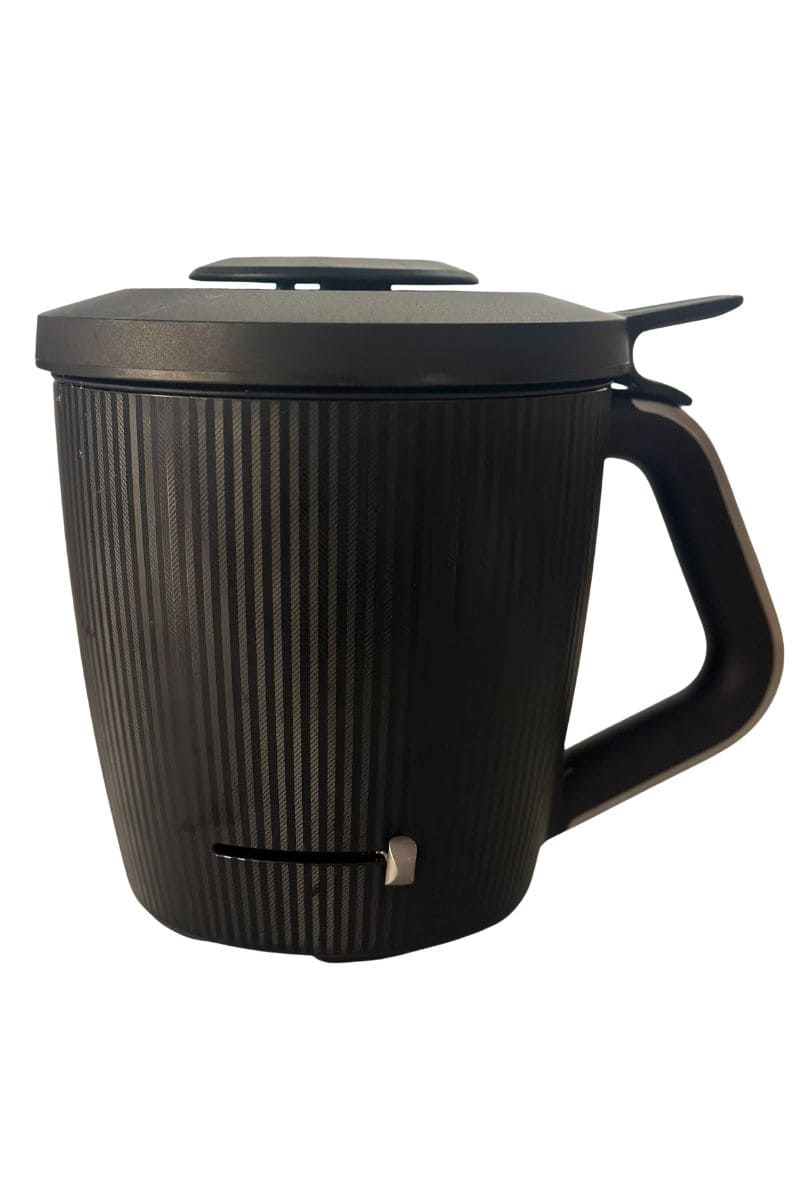
The mixing bowl is where most of the work happens in your Thermomix. Whether you're chopping vegetables, kneading dough, blending soups or cooking sauces, you'll be using the mixing bowl every time you cook.
Before you get started, it's worth taking a few minutes to understand the different parts of the bowl and how they work together.
The Different Parts of the Bowl
The TM7 mixing bowl is made up of five main components:
- Bowl - the stainless steel bowl is the main cooking vessel. Ingredients are added directly to the bowl, where they can be chopped, mixed, heated, blended or cooked.
- Insulated Shell - this surrounds the stainless steel bowl and helps keep food hot and protect you from the hot surface during cooking.
- Blade - this sits at the bottom of the bowl and is responsible for chopping, mixing, blending and stirring ingredients.
- Lid - the lid locks securely onto the bowl during cooking and blending. It features small vents that let steam escape during cooking and allow ingredients such as oil to be added gradually while the machine is running.
- Lid Cap - this fits into the centre of the lid and helps regulate steam while cooking. It can also be removed when a recipe requires ingredients to be added slowly through the opening.
How to Assemble the Bowl
The TM7 bowl comes apart for cleaning, so it's important to know how to put it back together correctly.
- Place the stainless steel bowl into the insulated shell.
- Insert the blade into the opening in the bottom of the bowl.
- Slide the locking mechanism into place to secure the blade.
- Place the lid onto the bowl.
- Insert the lid cap into the centre of the lid.
Once assembled, simply place the bowl onto the base unit and you're ready to start cooking.
Understanding Reverse Mode
One feature that often confuses new Thermomix owners is the way the blade works.
The TM7 blade doesn't just spin in one direction. Depending on the setting you choose, it can either chop ingredients or gently stir them.
Normal Blade Rotation
In normal mode, the sharp edge of the blade rotates first.
This is what allows the Thermomix to:
- Chop vegetables
- Blend soups
- Crush ingredients
- Mix batters
- Puree sauces
When you're making things like pesto, soup, breadcrumbs or cake batter, you'll usually be using the standard blade direction.
Reverse Mode
In reverse mode, the blade rotates in the opposite direction.
Instead of the sharp edge leading, the blunt side moves through the mixture first. This means the ingredients are stirred and folded rather than chopped.
It's one of the clever features that allows the Thermomix to cook dishes that need gentle mixing.
When Should You Use Reverse Mode?
Reverse mode is commonly used when cooking recipes where you want to keep ingredients intact.
For example:
- Risotto
- Chicken dishes
- Slow-cooked meat dishes
- Curries
- Stews
Imagine you're making a mushroom risotto. The rice needs to be stirred continuously while it cooks, but you definitely don't want the blade chopping the rice grains into tiny pieces or you will end up with a bowl of mush.
By selecting reverse mode, the Thermomix can gently stir the risotto throughout the cooking process while keeping the rice intact.
But don't worry! If you are following a recipe, it will let you know when to use reverse mode.
How to activate Reverse Mode
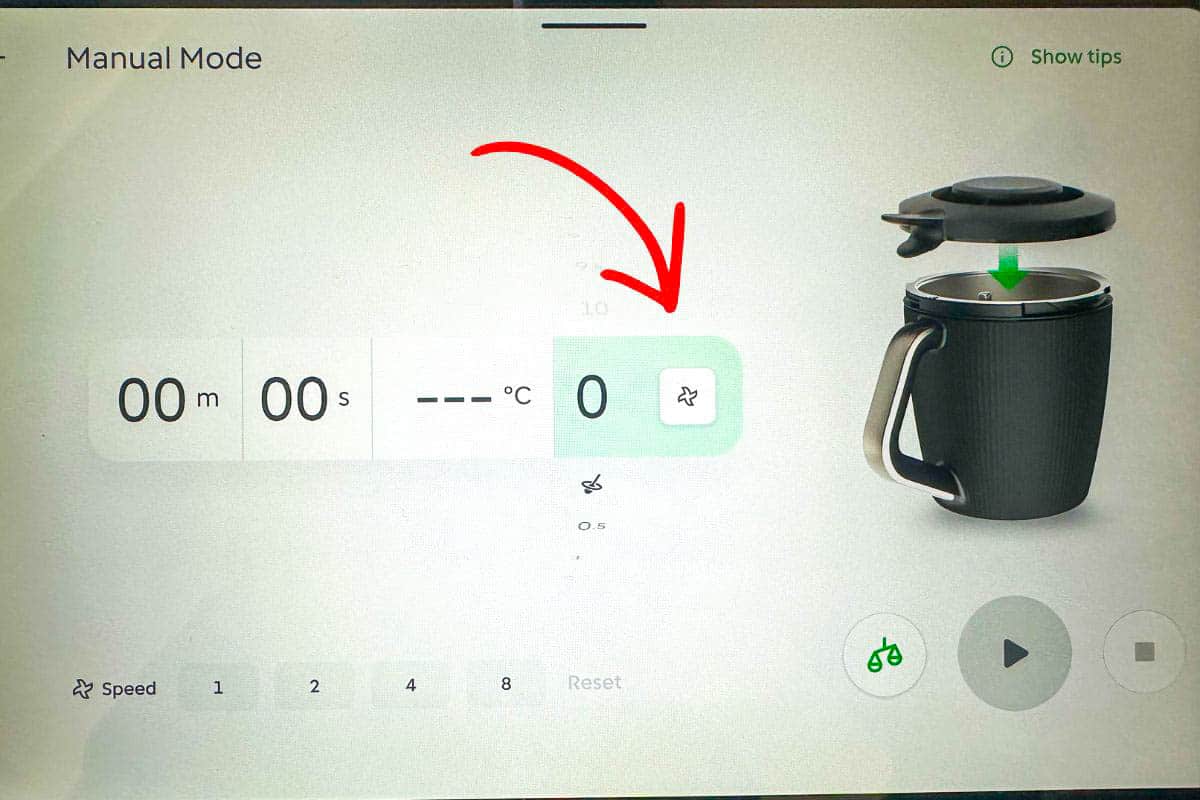
To activate reverse mode, look for the blade symbol next to the speed setting. Tapping this symbol will put the blade into reverse mode.
Now that you're familiar with the mixing bowl and blade, let's take a closer look at the accessories that help your Thermomix do even more.
How and When to Use Thermomix TM7 Accessories
Now that you know what each accessory is, let's look at when you'll actually use them in everyday cooking.
Using the Simmering Basket
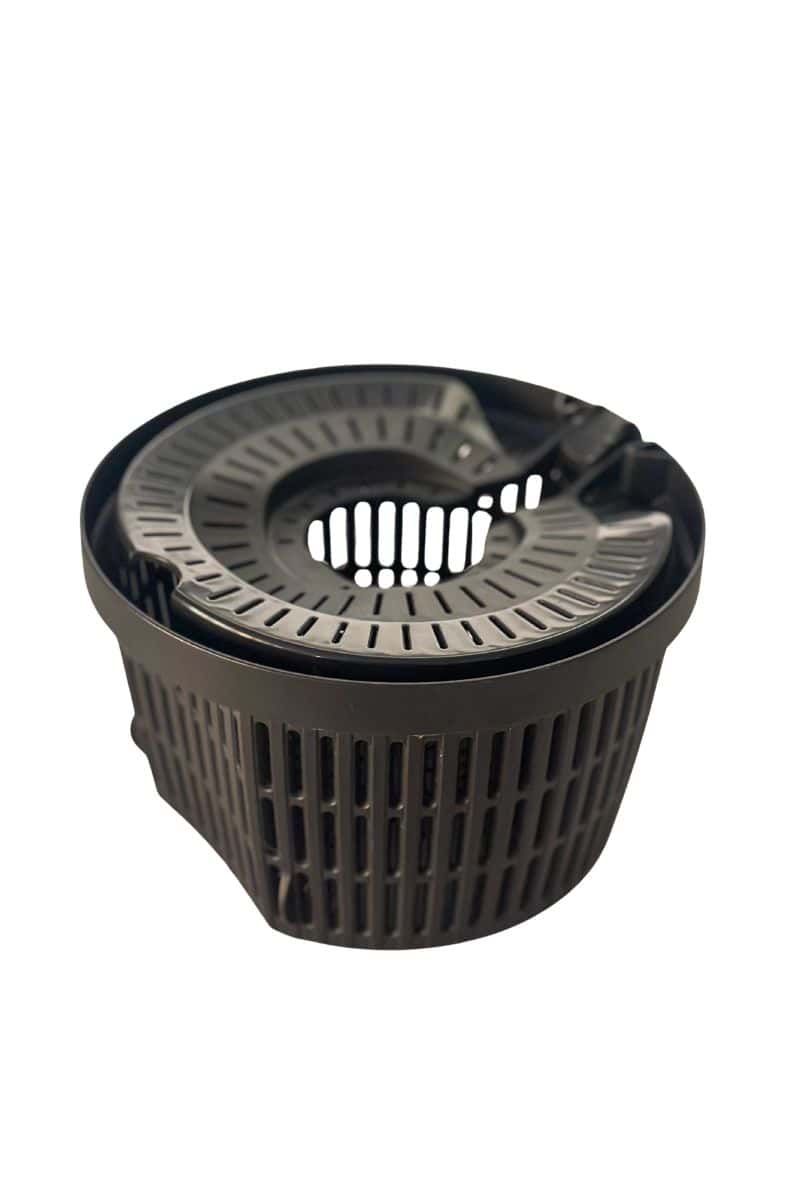
The simmering basket is one of the accessories you'll use most often. Because it sits above the blade, it's perfect for cooking foods that you don't want chopped during cooking.
I regularly use the simmering basket for:
- Cooking rice
- Steaming vegetables
- Poaching chicken
- Cooking potatoes
It also doubles as a colander so you can use it for draining food.
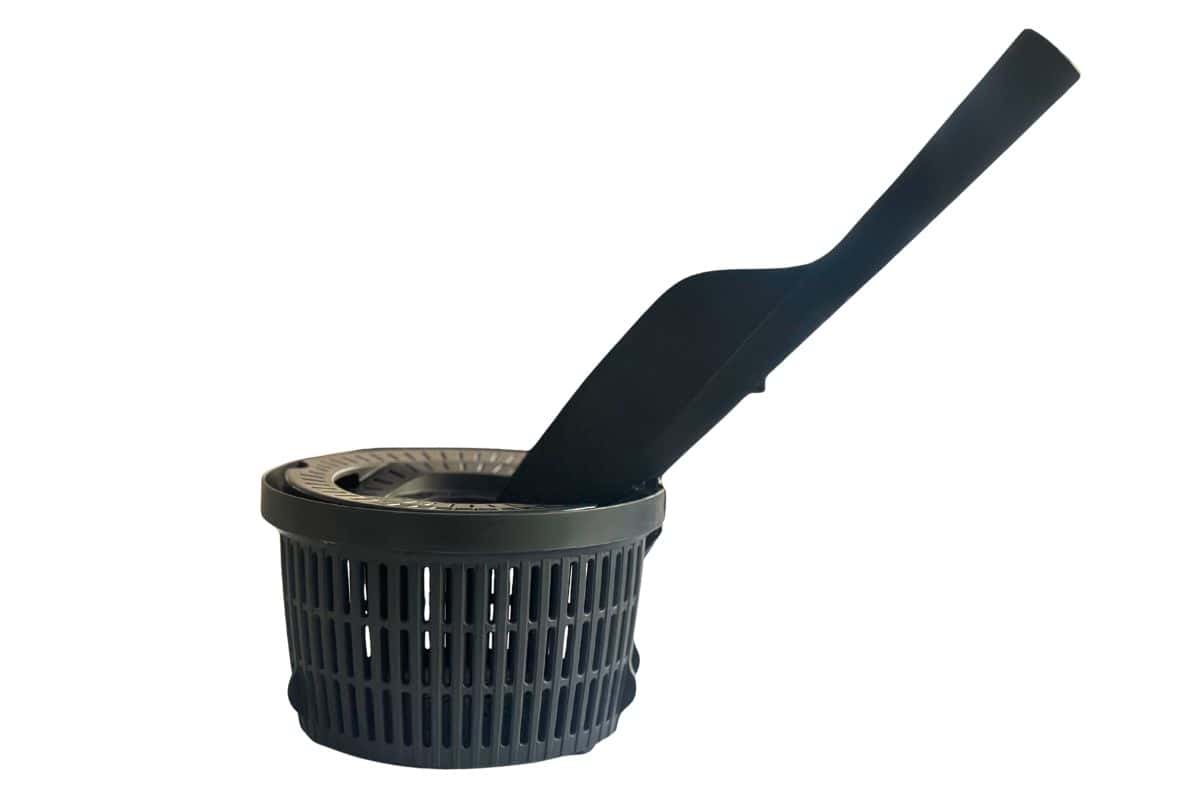
One of my favourite features is that the Thermomix spatula doubles as a handle (look for the little hook at the top of the spatula - it clicks into the simmering basket). This allows you to safely lift the hot basket out of the bowl without burning your fingers.
The tip of the spatula is also designed to open the lid of the simmering basket while it is still in the bowl so you don't need to use your fingers.
Using the Butterfly Whisk
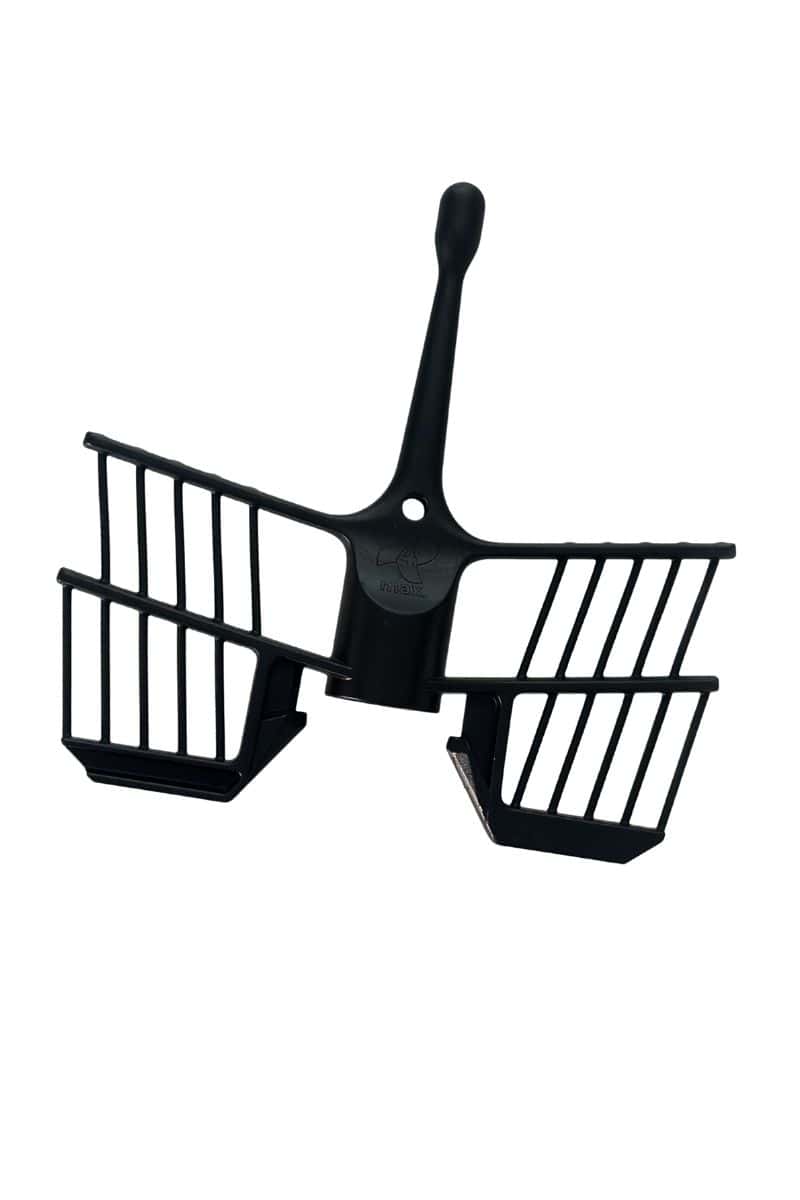
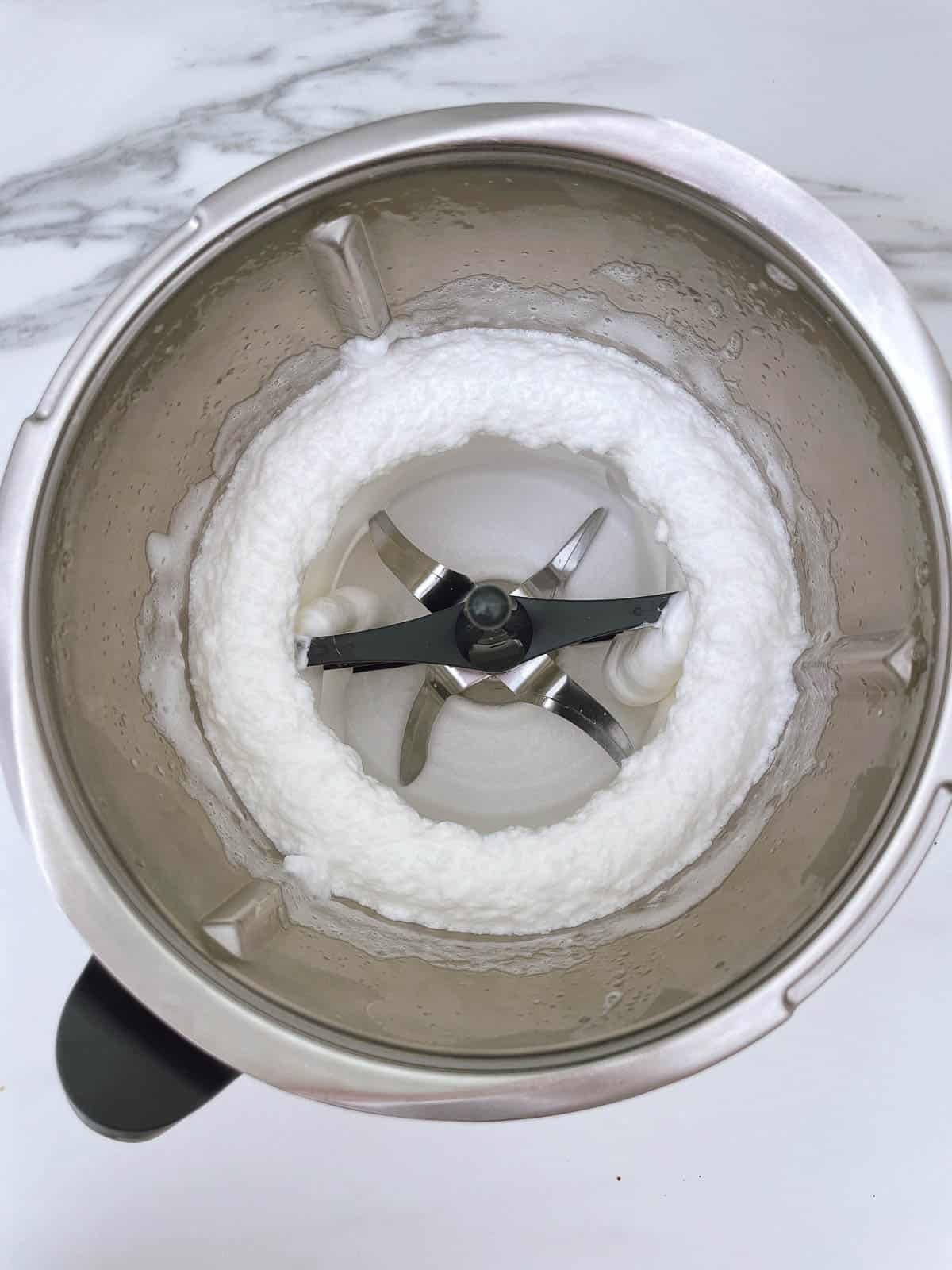
The butterfly whisk is designed to add air to mixtures and create lighter, fluffier results.
You'll typically use it for:
- Whipping cream
- Beating egg whites
- Making Thermomix meringues
- Creating mousses
- Whisking sauces
The butterfly whisk sits on top of the blade and rotates with the blade to aerate ingredients.
Important: Never use the butterfly whisk above speed 4, as it can become dislodged and damaged.
Using the Varoma
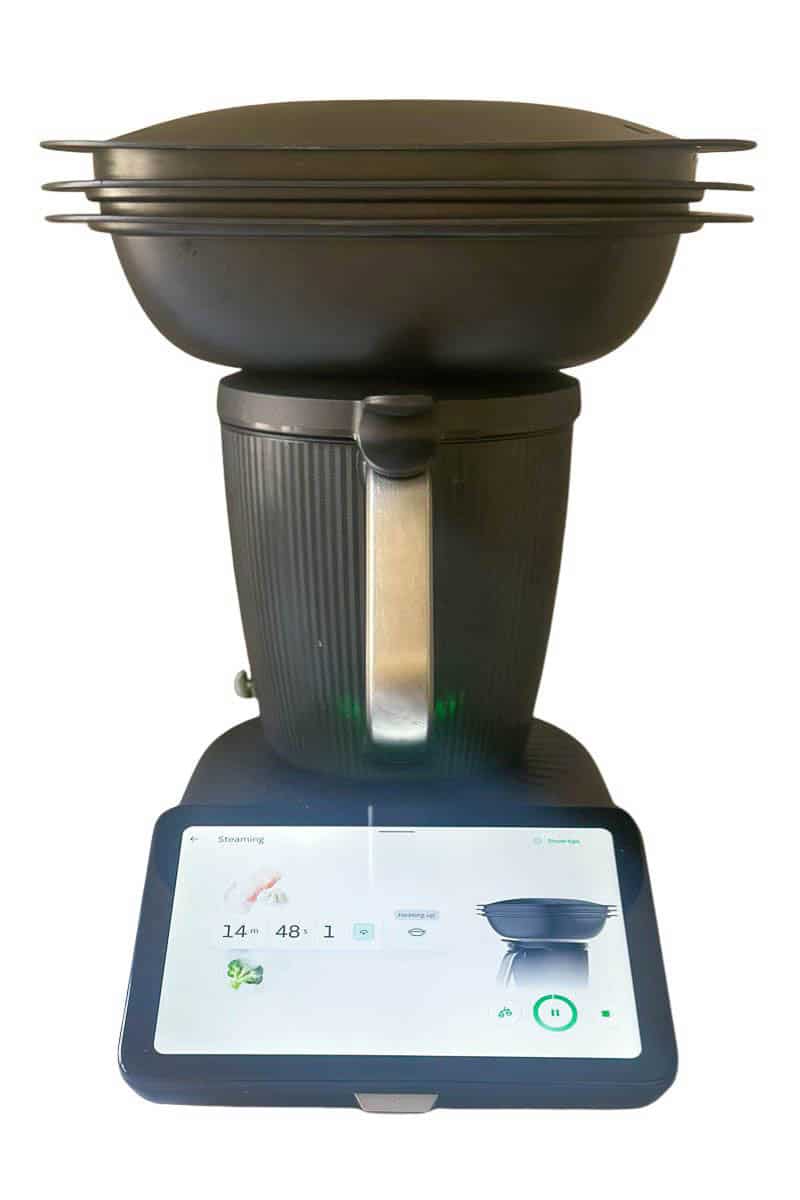
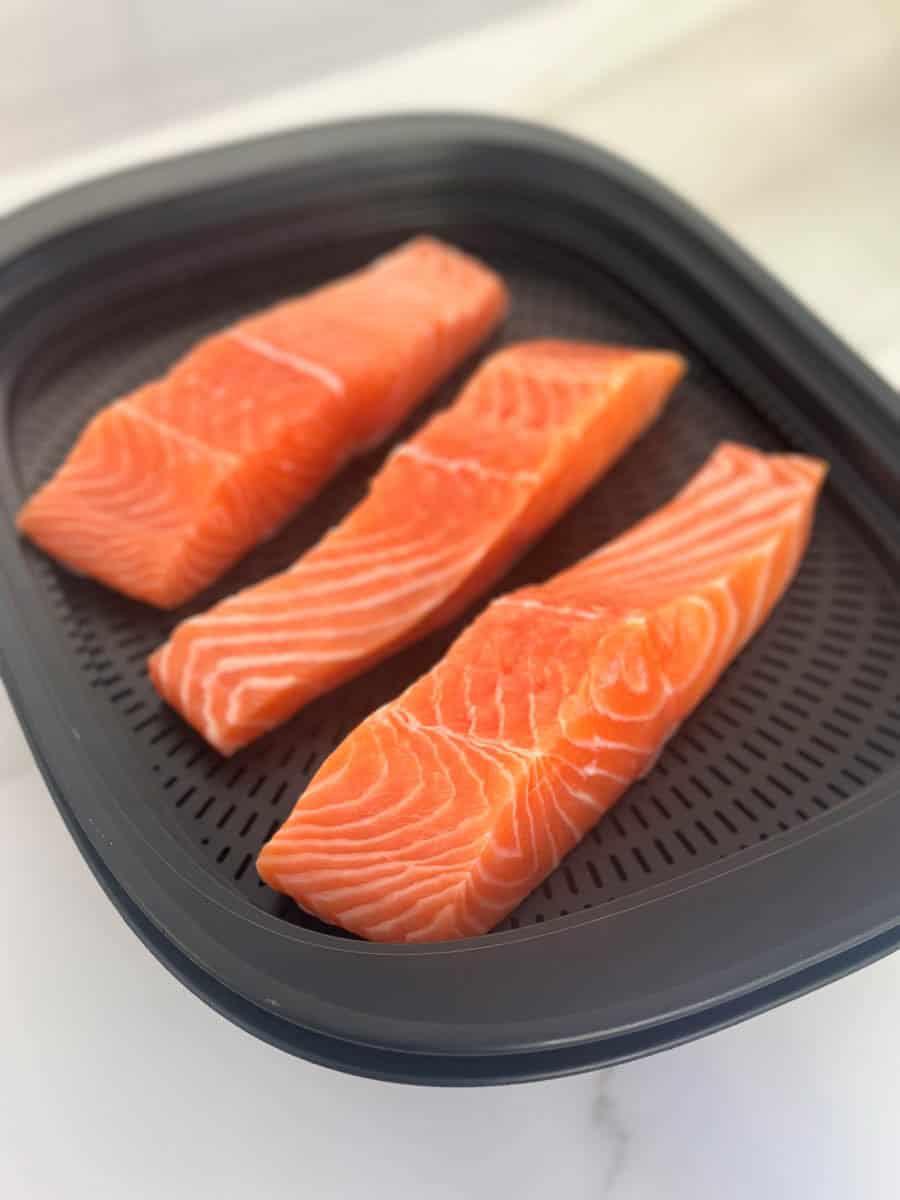
The Varoma is Thermomix's steaming system and one of the most versatile accessories included with the TM7.
It consists of three parts:
- Varoma dish
- Varoma tray
- Varoma lid
Because it has two levels, you can cook multiple ingredients at the same time. For example, you might steam vegetables in the lower tray while cooking fish in the upper tray.
I particularly love using the Varoma for:
- Steamed vegetables
- Fish fillets
- Dumplings
- Chicken breasts for shredded chicken
- Homemade puddings
- Making yoghurt
It's also great for complete meals, allowing you to cook several components at once.
The Thermomix Spatula
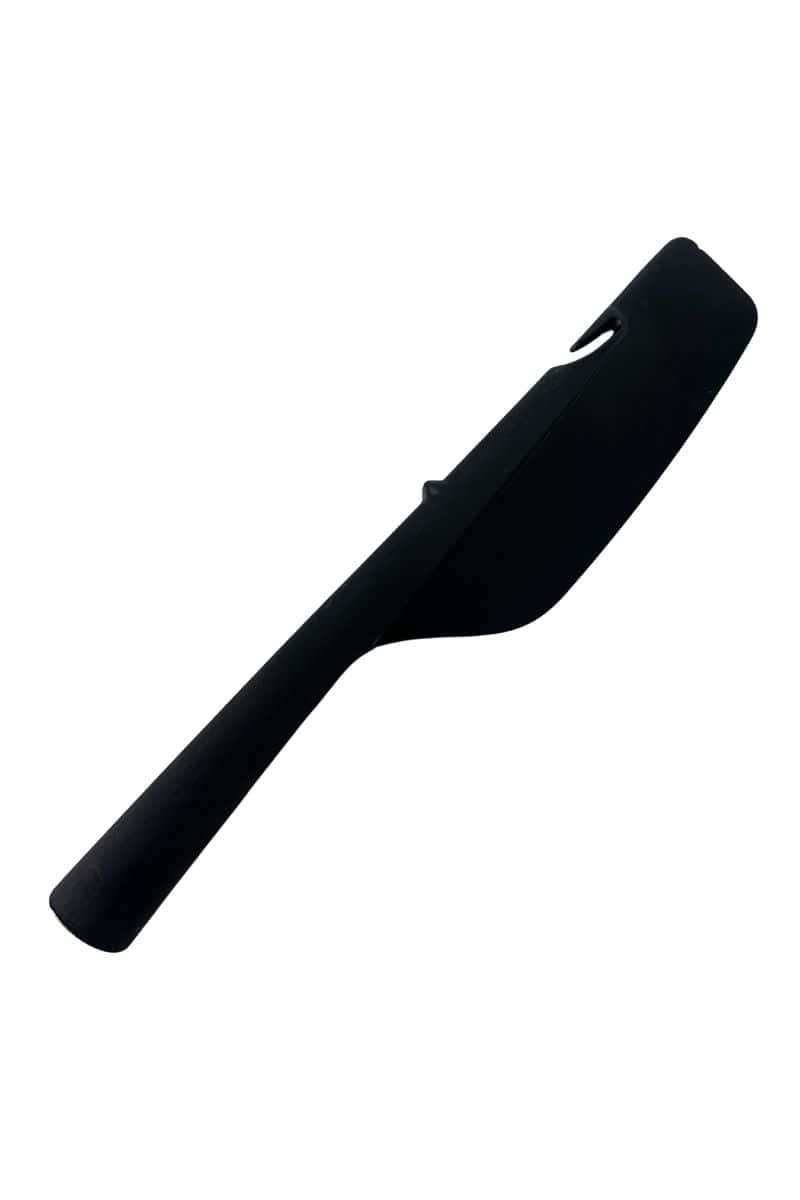
The Thermomix spatula has been specially designed to work safely with the machine.
In addition to scraping food from the bowl, it also doubles as a handle for the simmering basket and can be used to lift the simmering basket lid while the basket is still inside the bowl.
The other interesting feature is that it can be used to turn the blade. Have a look at the bottom of the handle - see the indentation? Turn your bowl upside down and you'll see that the handle fits onto the underside of the blade - this is designed to help you turn the blade to help release dough from the bowl.
While the included spatula is useful for these functions, it isn't very flexible, so I also recommend buying some flexible silicone spatulas for scraping mixtures from the bowl.
Cleaning Your Thermomix TM7
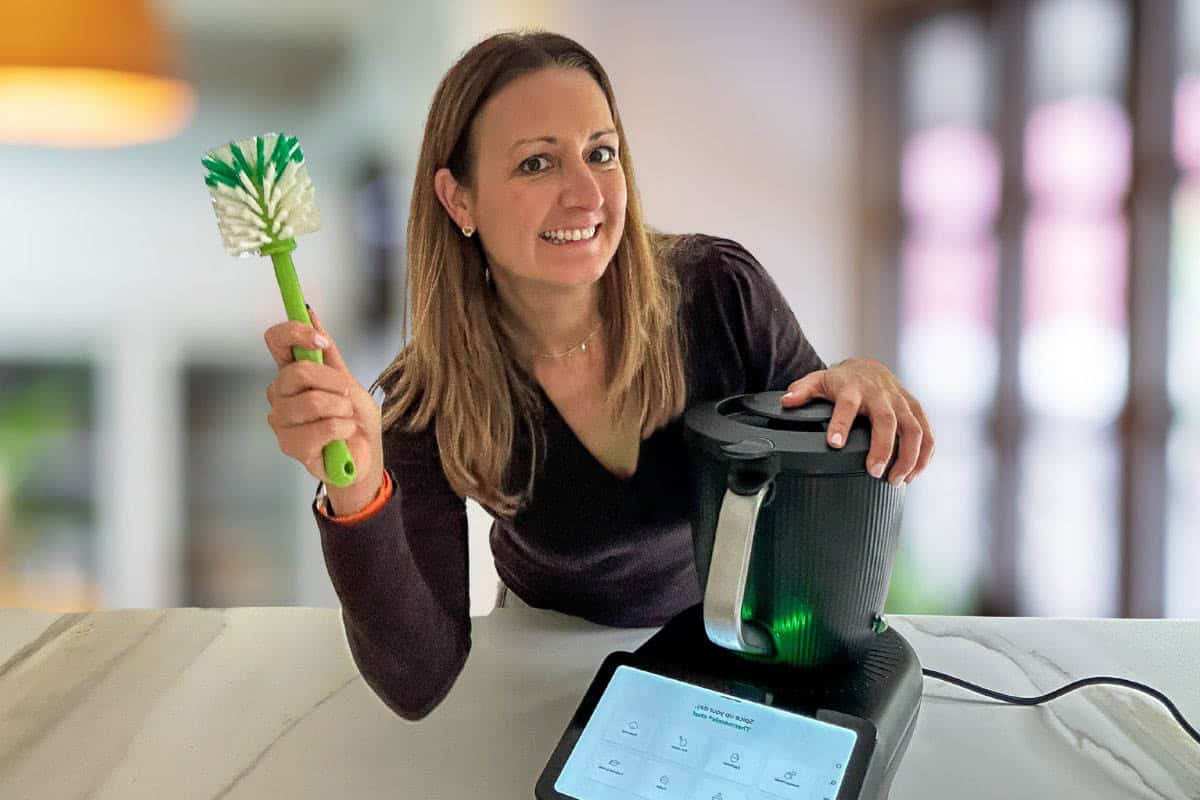
Keeping your TM7 clean is quick and easy, especially with the built-in Pre-Clean mode.
Here are my top cleaning tips:
- Use the Pre-Clean mode after cooking to loosen food residue.
- Always remove the blade when cleaning the bowl.
- Check underneath the blade seal, as food can become trapped there.
- Use a small brush to clean around the blade assembly if needed.
- Most accessories can be cleaned in the dishwasher.
Watch the video!
My Number One Cleaning Tip
If there's one thing I recommend, it's taking the blade out every time you wash the bowl. It only takes a few seconds and helps prevent food build-up underneath the seal.
Want More Cleaning Tips?
I've created a detailed guide covering everything you need to know about cleaning your Thermomix TM7, including how to use the Pre-Clean mode, deep-cleaning tips and the cleaning tools I use regularly.
Read next: Thermomix Cleaning Tips
Now that your TM7 is set up, assembled and clean, let's look at one of its most useful features: Guided Cooking with Cookidoo.
Guided Cooking and Cookidoo
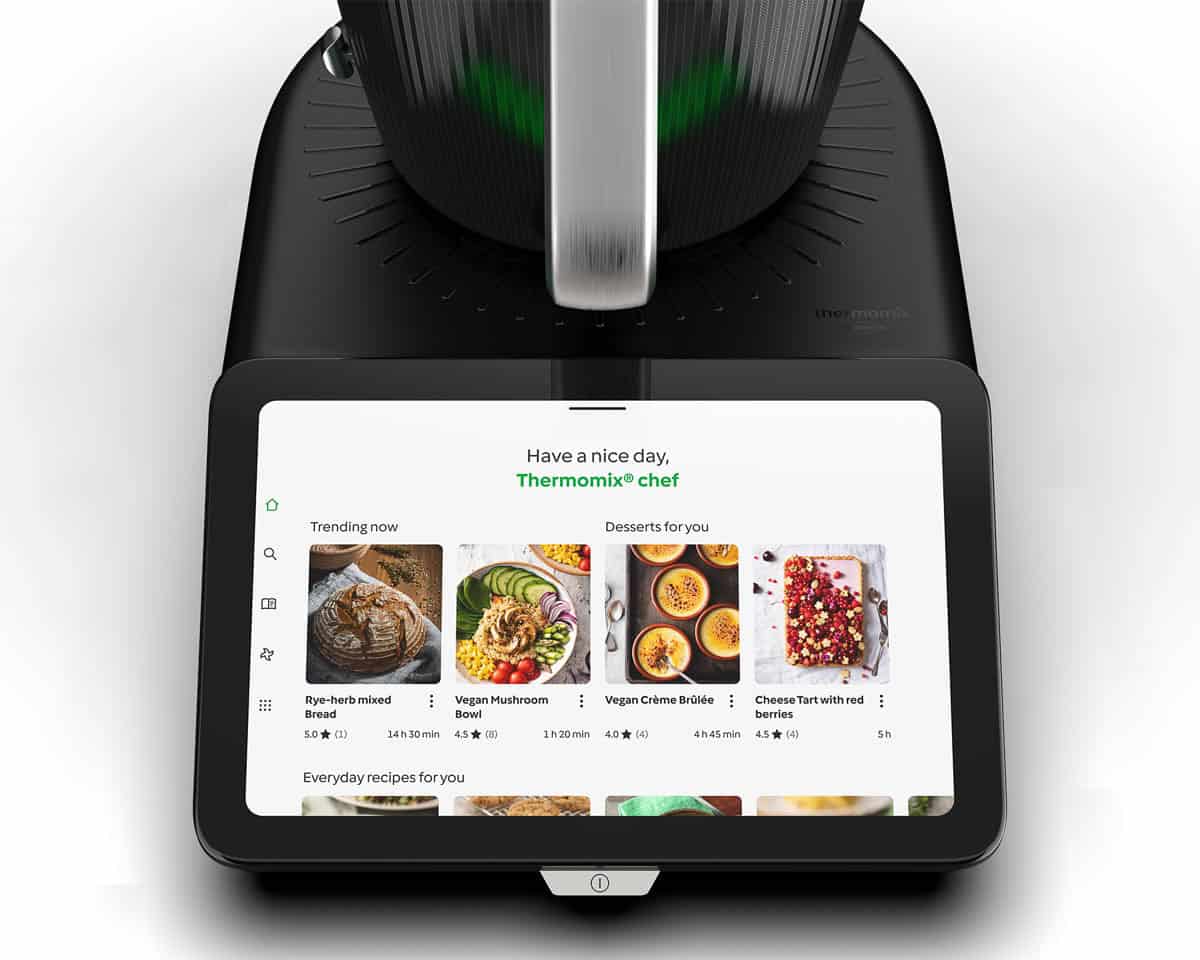
One of the features that sets the Thermomix apart from many other kitchen appliances is Cookidoo, Thermomix's online recipe platform.
Cookidoo gives you access to thousands of guided recipes that sync directly to your TM7. Once you select a recipe, the Thermomix walks you through each step, automatically setting the time, temperature and speed as you cook.
For new Thermomix owners, it's a fantastic way to build confidence in the kitchen. You don't need to remember settings or worry about whether you've selected the correct speed. Simply follow the prompts on the screen and cook along step by step.
Why I Like Cookidoo
There are a few things I particularly like about Cookidoo:
- It makes it easy to try new recipes.
- The guided cooking feature is great when you're learning how the Thermomix works.
- Meal planning and shopping lists are built into the app.
- Recipes saved in the app automatically sync to your TM7.
When I first upgraded to a connected Thermomix, I found Guided Cooking incredibly useful for learning new techniques and understanding what the machine could do.
But Don't Forget About Manual Mode
While Cookidoo is a great resource, I don't think it's the only way to use your Thermomix.
In fact, some of my favourite Thermomix recipes aren't on Cookidoo at all.
Once you've become familiar with the machine, I encourage you to start exploring Manual Mode as well.
Manual Mode gives you complete control over the time, temperature and speed settings, allowing you to cook recipes from blogs (like all my Thermomix recipes here!), cookbooks and your own family favourites.
For me, that's where the real versatility of the Thermomix shines. Instead of being limited to a library of guided recipes, you can use it as a tool to create almost anything.
My Recommendation for New Owners
If you're new to Thermomix, start with a few Guided Cooking recipes to build confidence and learn how the machine works.
Then gradually branch out into Manual Mode recipes. Before long, you'll be comfortable using your Thermomix for everything from Cookidoo recipes to your own creations.
Using Manual Mode on the Thermomix TM7
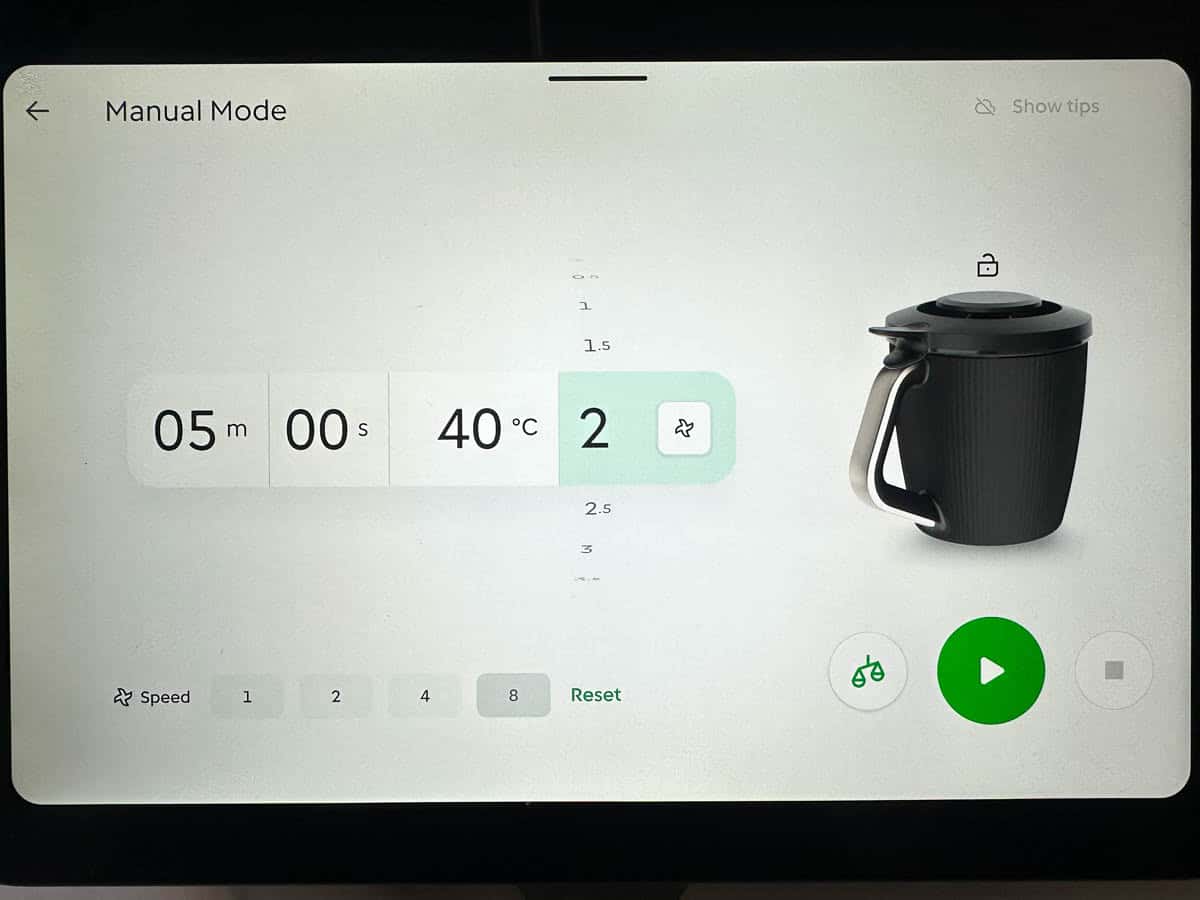
While Guided Cooking is a fantastic way to learn the Thermomix, don't be afraid to explore Manual Mode as well.
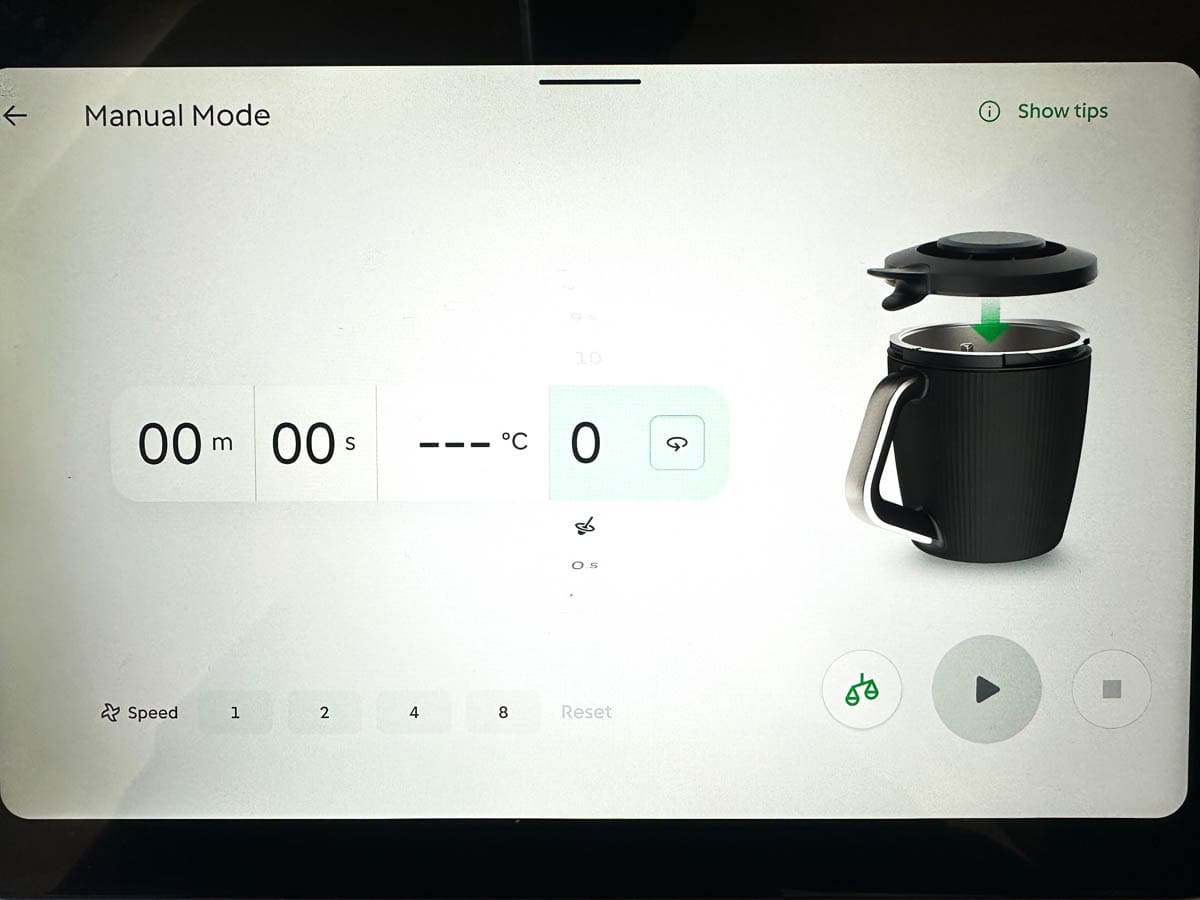
Manual Mode gives you complete control over the machine, allowing you to set the time, temperature, speed and blade direction yourself.
It's how you'll cook recipes from blogs, cookbooks and your own family favourites that aren't available on Cookidoo.
The good news is that Manual Mode is much easier to use than many new owners expect.
The Four Main Controls
Most of the time, you'll only need to adjust four settings:
- Time
- Temperature
- Speed
- Blade direction (forward or reverse)
Most Thermomix recipes will tell you exactly which settings to use step by step. For example, it will say:
Add the milk and mix for 2 minutes / 50 degrees / speed 2. or
Measure in the flour and cook for 10 minutes / 100 degrees / REVERSE / speed 3.
And all you need to do is use the touchscreen to turn each dial. There are pre-sets at the bottom to make it even easier.
Once you have adjusted each setting, just press the big play button on the touchscreen to set the machine going.
Over time you will get to learn how the settings work, making it easy to adapt your own recipes instead of just following someone else's.
When using Manual Mode, you can also access many of the Thermomix modes, including Steaming, Dough, Blend and Thickening. These modes can make common kitchen tasks even easier and are worth exploring as you become more confident with your TM7.
Useful Thermomix TM7 Modes to Explore
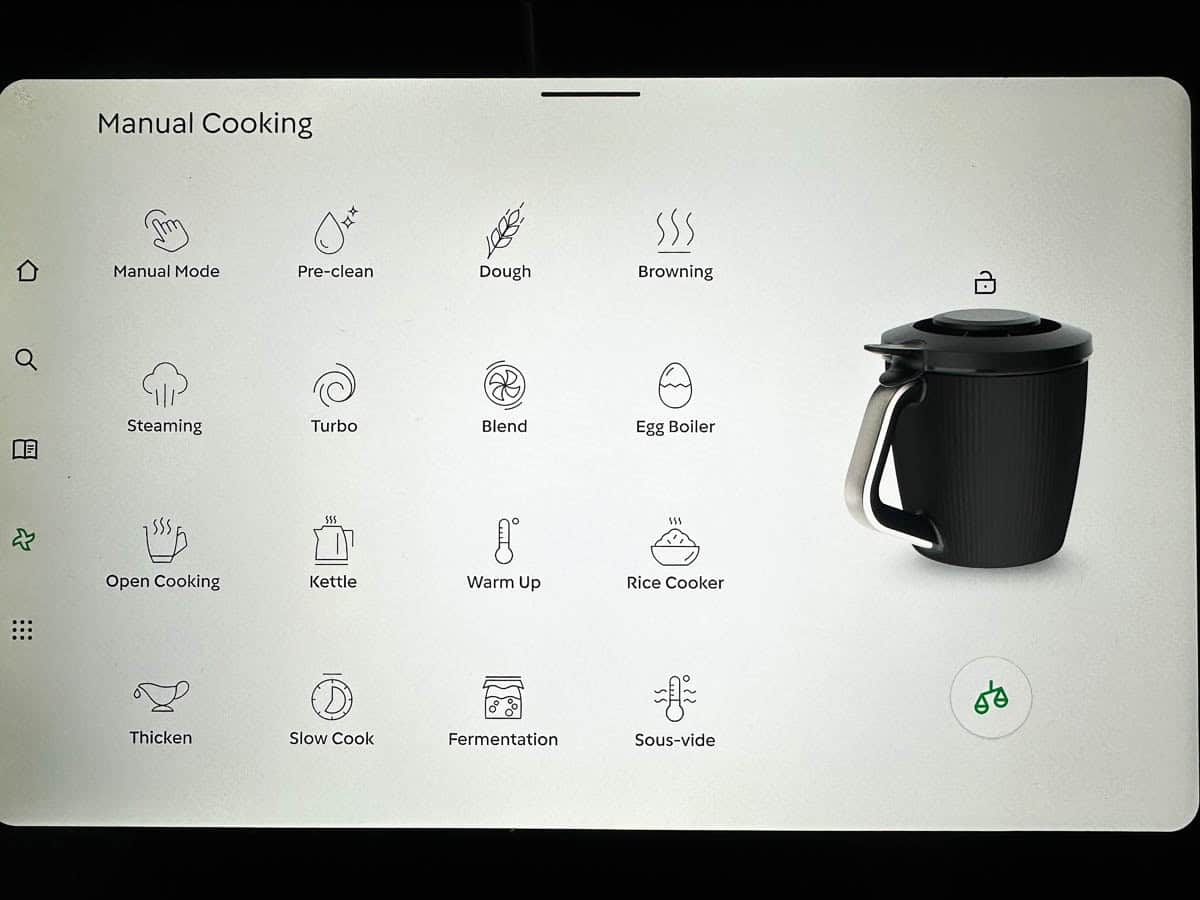
In addition to Manual Mode, the TM7 includes a range of built-in modes that can make common kitchen tasks even easier.
You don't need to learn them all straight away, but here are a few worth exploring:
- Dough Mode – Perfect for kneading bread, pizza and focaccia dough. Making bread dough has never been so easy - you're going to love this one!
- Blend Mode – Ideal for smoothies, soups and sauces when you want a silky smooth finish.
- Steaming Mode – Designed for use with the Varoma, making it easy to steam vegetables, fish, dumplings and complete meals.
- Thickening Mode – Great for sauces, custards and recipes that need gentle heating while being continuously stirred.
- Slow Cook Mode – Allows you to cook dishes slowly over a longer period, perfect for casseroles and tender meats.
- Pre-Clean Mode – One of my favourite features. Add a little water and detergent, select the mode and let the Thermomix do most of the cleaning for you.
- Open Cooking Mode – A new feature on the TM7 that allows you to cook without the lid locked in place, giving you more flexibility for certain recipes.
The more you use your Thermomix, the more you'll discover which modes suit your cooking style. Don't feel like you need to master them all at once. Start with the basics and experiment as you go.
My Top Tips for New Thermomix Owners
- Make use of the Cookidoo app so you can search for recipes on your phone and sync to your machine.
- Start with Guided Cooking while you're learning, but don't be afraid to use manual mode - this is when you'll start getting even greater use out of your machine.
- Always remove the blade when cleaning the bowl.
- Invest in a few cleaning brushes and silicone spatulas.
- Always make sure the bowl is properly assembled before you start cooking. In our house, the insulated outer shell lives upside down on the base unit until it's assembled, which helps prevent anyone accidentally pouring liquids into the machine.
- Don't use the butterfly over Speed 4.
- Keep an eye on your Thermomix when using Dough Mode. Depending on how the dough sits in the bowl, the machine can occasionally "walk" across the bench.
The Thermomix can seem overwhelming when you first unpack it, but most owners are surprised by how quickly they become comfortable using it. Start with a few simple recipes, experiment with the different functions and before long you'll wonder how you ever cooked without it.
Frequently Asked Questions
That depends on which model you currently own and how often you use it. The TM7 introduces several new features, including a larger touchscreen and a redesigned mixing bowl. If you're trying to decide whether it's worth upgrading, check out my detailed comparison of the TM6 and TM7.
Yes. While Cookidoo gives you access to thousands of guided recipes, you can still use your Thermomix without a subscription. You can cook using Manual Mode, follow Thermomix recipes from blogs and cookbooks, and even adapt your own family recipes.
Absolutely. Any recipe that provides Thermomix instructions can be used on the TM7. Simply enter the time, temperature and speed settings using Manual Mode. In fact, learning to use Manual Mode opens up far more recipe options than relying on Cookidoo alone.
Yes. The TM7 includes a built-in Pre-Clean mode that helps loosen food residue after cooking. Most parts are quick to wash, and many accessories are dishwasher-safe, making clean-up surprisingly easy.
Many Thermomix accessories, including the mixing bowl, lid, simmering basket, butterfly whisk and Varoma components, are dishwasher-safe. However, the base unit should never be immersed in water or placed in the dishwasher.






Leave a Reply